
A café owner in Christchurch rang us last winter because her website had stopped loading. Nothing had changed that she knew of. The cause was a contact form plugin she installed in 2023 and never updated. A bot found the hole in it overnight. By morning it had added a few hundred spam pages. WordPress security is rarely about someone targeting your business by name. It is about automated scanners sweeping the internet for a known weakness, then finding it on your site.
That is also why WordPress security costs less to fix than people expect. An afternoon of work closes the gaps behind almost every break-in we see. A short monthly habit keeps them closed. Below is what we do on our own sites, and what we set up for customers on our WordPress hosting, in the order we would tackle it.
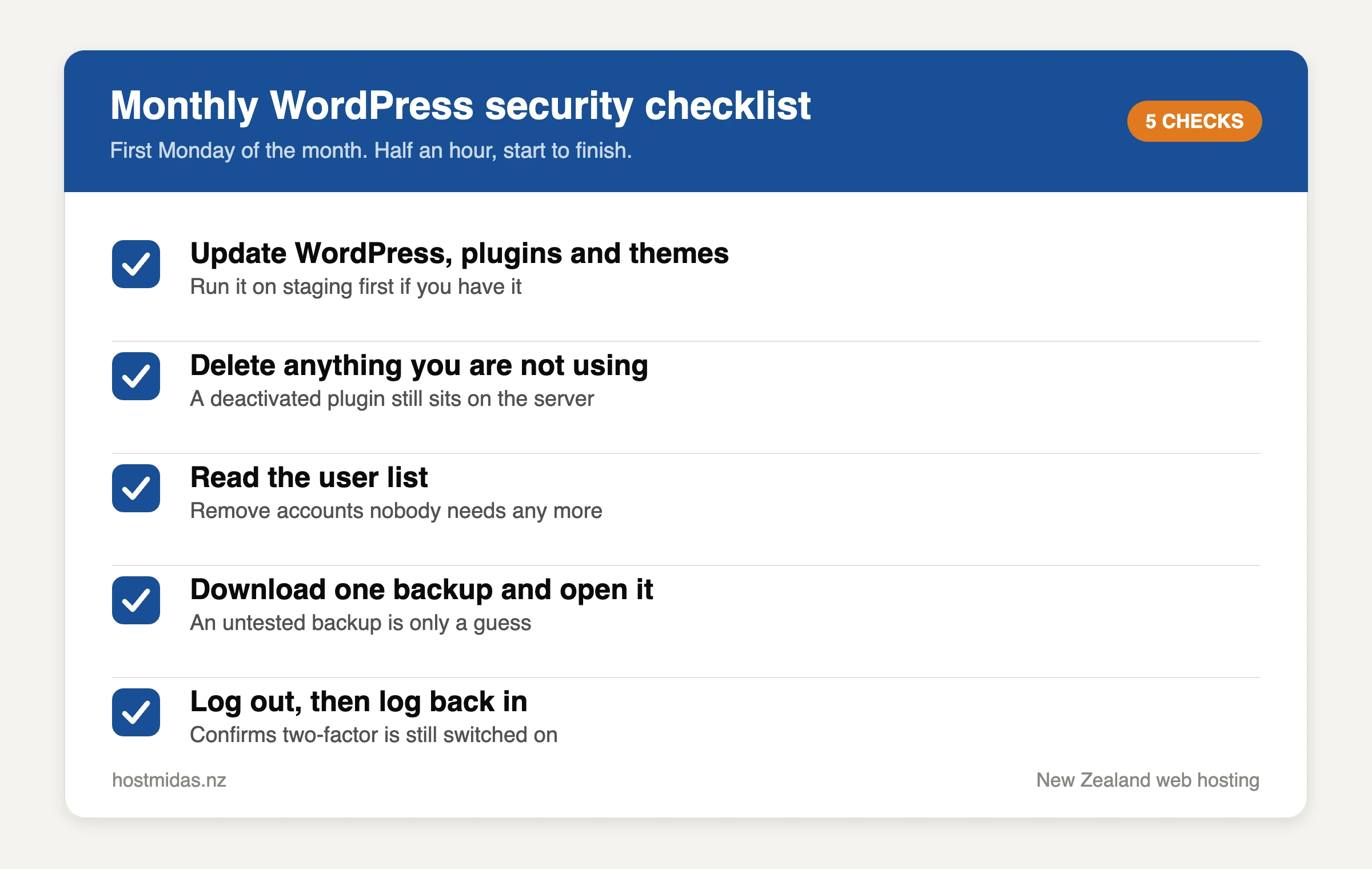
The five checks worth doing every month. None of them takes longer than a cup of tea.
Most WordPress security problems start with a plugin
Patchstack tracks vulnerabilities across the WordPress ecosystem. It counted 11,334 new ones in 2025, which was 42% more than the year before. The split matters more than the total. Plugins accounted for 91% of them and themes for 9%. WordPress core had six, all rated low priority. Patchstack also found the median gap between a flaw being published and the first exploit attempt was about five hours.
So WordPress security is less about WordPress than about the twenty-odd plugins bolted onto it. The practical response is to run fewer of them. Open your plugins page and look for three things: anything you installed to test, anything doing a job your theme already does, and anything last updated more than a year ago. Deactivating is not enough, because the code still sits on the server. Delete it properly.
Lock down the login page
Every WordPress site answers at /wp-login.php, so bots try it constantly. They are not guessing cleverly. They work through passwords leaked from other websites. That is why a password you reuse elsewhere is the real risk, and why login hygiene is the part of WordPress security you control completely.
- Delete the “admin” username. Make a new administrator with a different name, log in as that, then remove the old one.
- Use a long, unique password. Four random words beat a short password full of symbols, and a password manager means you never have to recall it.
- Limit login attempts. Most security plugins can block an IP address after five failed tries.
- Never share one admin login. Give each person their own account, at the lowest role that lets them work.
Two-factor authentication is the biggest single win
If you only do one thing from this article, do this one. Two-factor authentication asks for a six-digit code from your phone after the password. A stolen password on its own then gets nobody in. Plugins such as WP 2FA or the two-factor module in Wordfence add it in a few minutes, and an authenticator app is free. For ten minutes of setup, it is the highest-value WordPress security change available to you.
Turn it on for every account that can edit the site, not just your own. Own Your Online, the government’s small business programme, has a plain-English walkthrough on protecting your business with 2FA. It is worth sending to staff. While you are at it, do the same for your cPanel login and your domain registrar. Either one can undo everything else.
Updates need a schedule, not good intentions
Patching is the dull half of WordPress security, and the half that actually works. WordPress applies minor core updates by itself. Plugins and themes usually do not, unless you tell them to. Given that five-hour exploit window, waiting a month to patch is waiting far too long.
We suggest a middle path. Switch automatic updates on for plugins you trust and that are not load-bearing, such as an SEO plugin or a backup tool. Leave them off for the two or three that would visibly break the site, which is usually your page builder, your forms plugin and anything touching checkout. Check those by hand once a week. Our own site runs Divi, so that is exactly how we treat it.
If your host offers staging, update the copy first. Click through the important pages before you touch the live site. In cPanel, WP Toolkit can clone a WordPress install to a staging URL in about a minute.
WordPress security depends on backups you have tested
Backups sit at the edge of WordPress security, because they prevent nothing. What they decide is how bad a bad day gets. A site with a working restore is a two-hour problem. A site without one can be a rebuild.
Two rules we have learnt the hard way. First, the backup must live somewhere other than the server it came from. A server you cannot reach is a backup you cannot reach. Second, a backup nobody has restored is only a guess. Our accounts include JetBackup 5, and our guide on restoring backups with JetBackup 5 walks through it. Try one restore to a staging site, so the first time is not during an outage.
Check who still has an admin account
Stale logins are a WordPress security gap that no plugin will flag for you. This check takes two minutes and almost nobody does it. Go to Users and read the list. A five-year-old site usually has two or three accounts that should not be there: the developer who built it, a marketing contractor from 2022, a staff member who left, perhaps a plugin’s support login from a closed ticket.
Remove the ones no longer needed. Drop anyone who does not need full access down to Editor or Author. WordPress offers to reassign their posts, so nothing is lost. Then do the same sweep on your hosting account and your registrar.
What your host should handle for WordPress security
Some of this is not your job. Ask what a host does for WordPress security before you ask about disk space. A good answer covers HTTPS on every domain, a current PHP version, server-level firewalling, and isolation between accounts on a shared server.
On our servers, SSL certificates are free and renew automatically, which our note on free SSL for NZ websites covers. We run LiteSpeed rather than Apache, and our NZ hosting accounts stay on supported PHP builds. If anything of yours still runs PHP 7.4, that alone is worth a support ticket, whoever hosts you. Old PHP stops getting security fixes while your site carries on using it.
A monthly WordPress security routine
Habits beat projects here. Put a recurring half hour in your calendar on the first Monday of the month, then work down this list.
- Update WordPress, plugins and themes, starting on staging if you have it.
- Delete any plugin or theme you are not using.
- Read the user list and remove accounts nobody needs.
- Download one backup and confirm it opens.
- Log out, then log back in, to check two-factor still works.
After the first month, the routine takes about twenty minutes. If a plugin has been abandoned by its developer, that is the moment to find a replacement rather than hoping.
WordPress security questions we get asked
Do I need a security plugin as well?
One is plenty. A WordPress security plugin mostly earns its place through login limiting, two-factor and file change alerts. Wordfence and Solid Security are both reasonable. Running two at once causes more problems than it solves, since they fight over the same hooks and both write firewall rules.
My site was hacked. What should I do first?
Change every password, including cPanel and your registrar. Then restore from a backup taken before the problem started. After that, update everything and work out which plugin let it happen. Restoring onto the same unpatched code just invites a repeat. Our support team is available 24/7 and can help you check.
Does hosting in New Zealand make a site safer?
Not by itself, no. A vulnerable plugin is vulnerable in Auckland or in Ashburn. What local hosting changes is who you ring, how fast you reach a person, and which country’s privacy law covers your customer data.
Need a hand?
If you would rather someone else did the WordPress security sweep, our team can audit your site, tidy the plugin list, switch on two-factor and set your backups up properly. Ask through contact and support, or browse the knowledge base if you would rather do it yourself. You can also read what our customers say about us on Trustpilot.